We will explain how to play the VR piano game “Sigure.”
From piano beginners to advanced players, everyone can enjoy it, so please use it as a music game or a piano learning app!
- Start Playing VR Piano Game in 3 Easy Steps
- Basic VR Operations
- 5 Recommended Practice Methods
- Features of our 4 Sheet Music YouTubers
- Preparation: Connecting VR Goggles and Piano
- Tips for VR Operations
- Closing the App
- Performance Mode
- Practice Mode
- Skill Improvement Program
- Pitch Training Game (Coming Soon)
- Chord Theory Learning (Coming Soon)
- Conclusion
Start Playing VR Piano Game in 3 Easy Steps
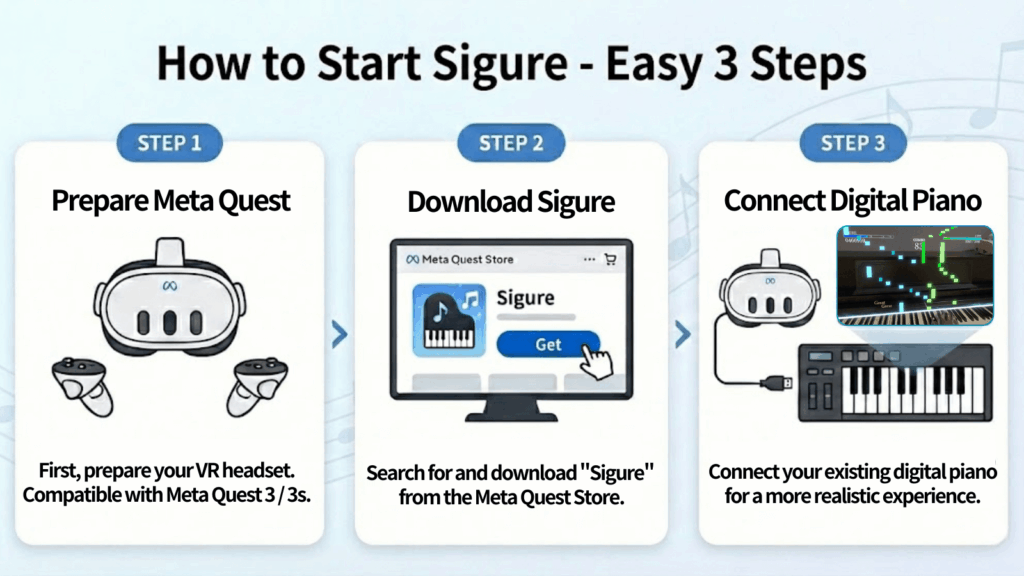
You can start playing the piano in just three simple steps:”1.Prepare Meta Quest”, “2. Download Sigure”, and “3. Connect your Digital Piano”.
Basic VR Operations
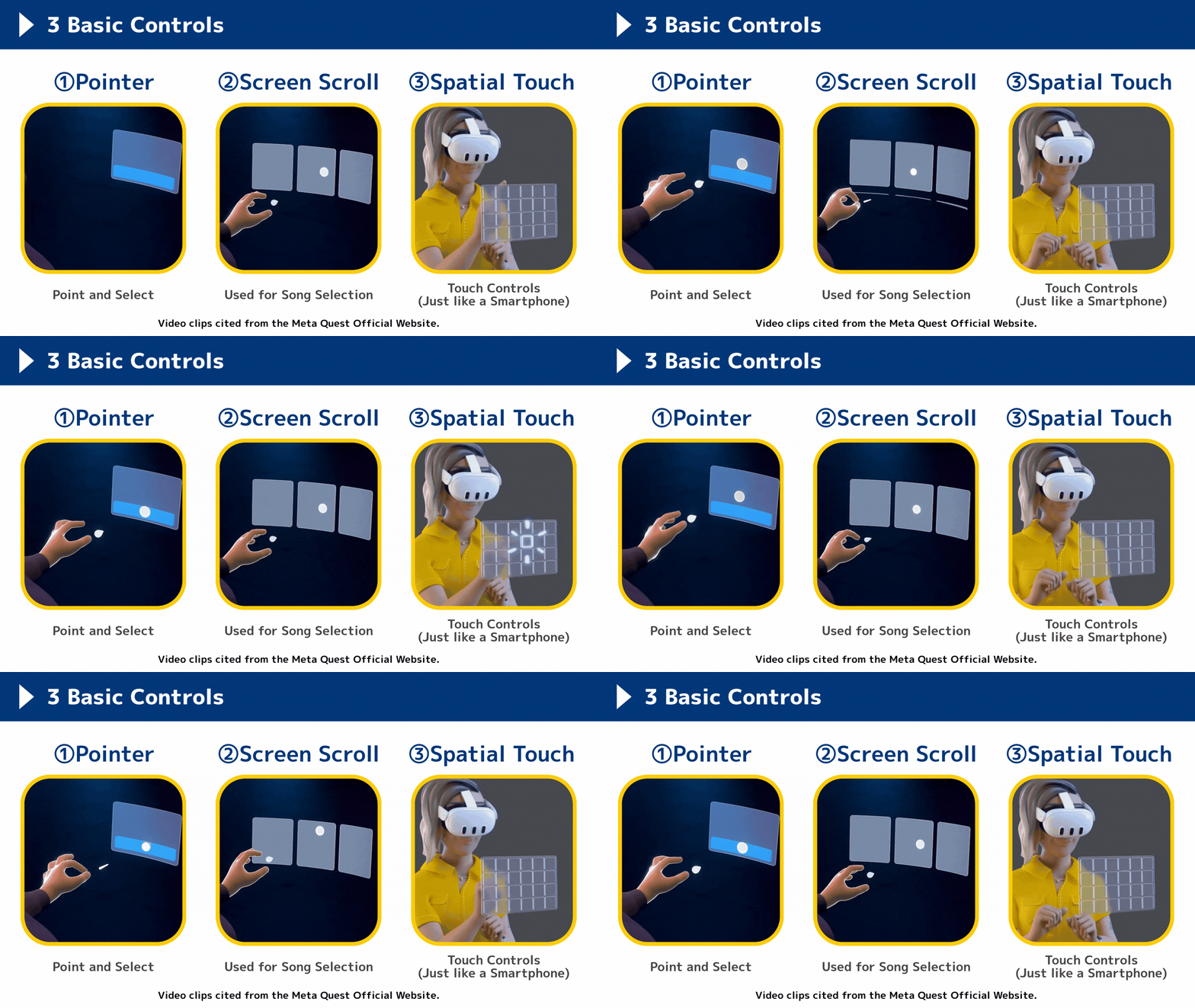
You can navigate the app using these three methods — no controllers required!
If you have any questions regarding the app’s operation, please feel free to contact us.
5 Recommended Practice Methods
We have summarized recommended piano practice methods using the VR piano game!
Sigure has many useful features for efficient piano practice, so please make the most of them!!
Features of our 4 Sheet Music YouTubers
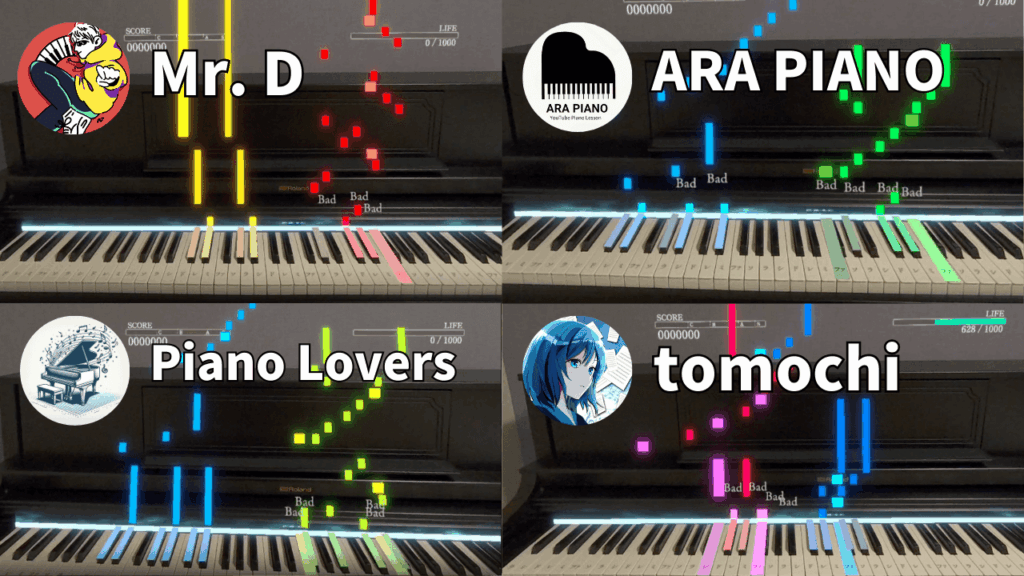
In Sigure, 4 sheet music YouTubers have provided their data, resulting in over 300 songs currently available!
Here are the characteristics of the song data from each YouTuber.
Sheet music is available in Beginner, Intermediate, and Advanced difficulty levels, allowing you to choose the one that best fits your skill.
The selection features a wide and fulfilling variety of musical genres.
 YouTube:Beginner to intermediate / Intermediate to advanced
ARA PIANO

With a focus on Beginner to Elementary levels and fingerings included for almost every song, these scores are very easy for newcomers to play.
The videos also display pedal timing, making them a great resource for those looking to master pedaling.
YouTube:Beginner to intermediate
tomochi

This collection is rich in Vocaloid and video game music, featuring many cool piano arrangements.
“Normal” difficulty arrangements are also available, so even beginners can join in on the fun.
YouTube:Intermediate to advanced
Piano Lovers

Primarily focused on anime songs, this collection offers an extensive catalog of tracks.
Many of the scores are at a difficulty level that beginners can enjoy, making them ideal for daily practice.
YouTube:Beginner / Beginner to intermediate
Preparation: Connecting VR Goggles and Piano
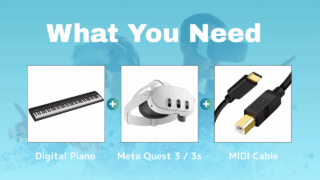
1. Prepare the 3 Necessary Items
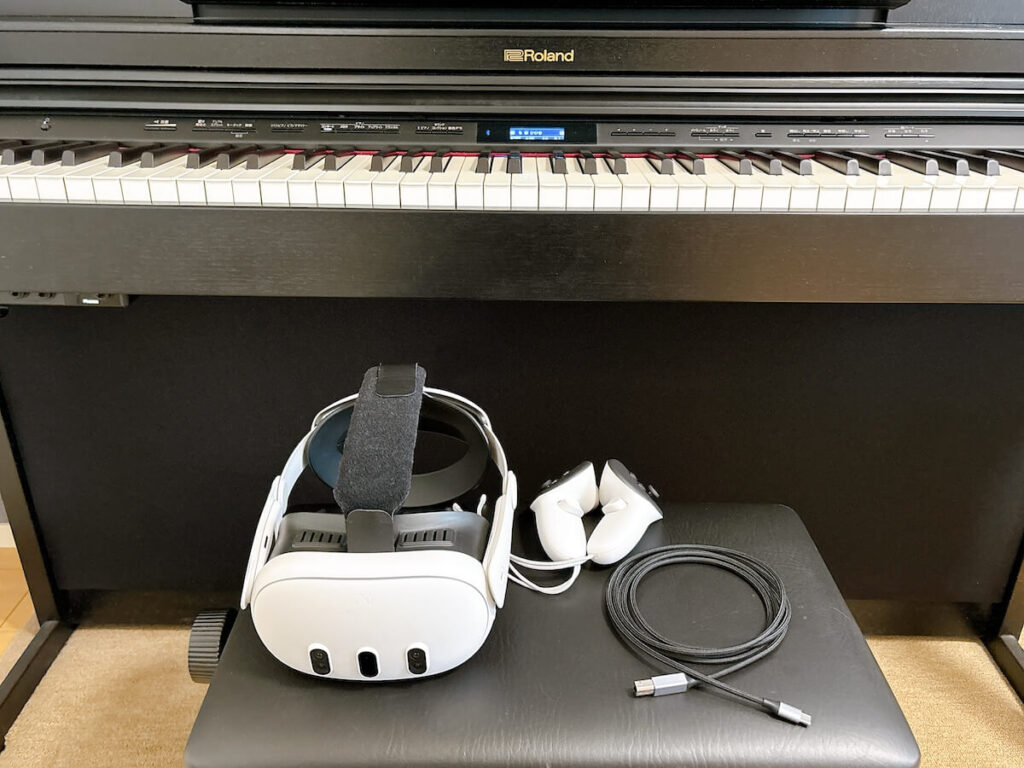
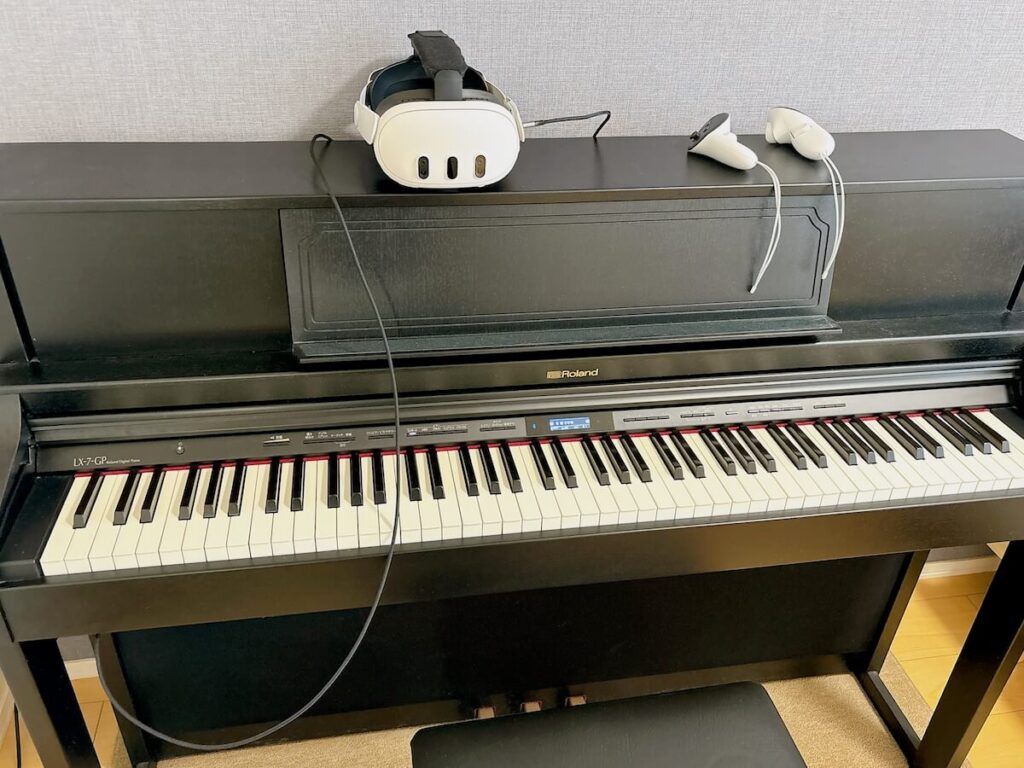
Prepare a digital piano, VR goggles, and a MIDI cable.
For recommended digital pianos, please see the page below.
2. Connect Digital Piano and VR Goggles with MIDI Cable
Meta Quest battery life is short (about 90–120 minutes), so please charge it sufficiently before playing.
Playing until the battery runs out is just the right amount of time for daily piano practice (lol).
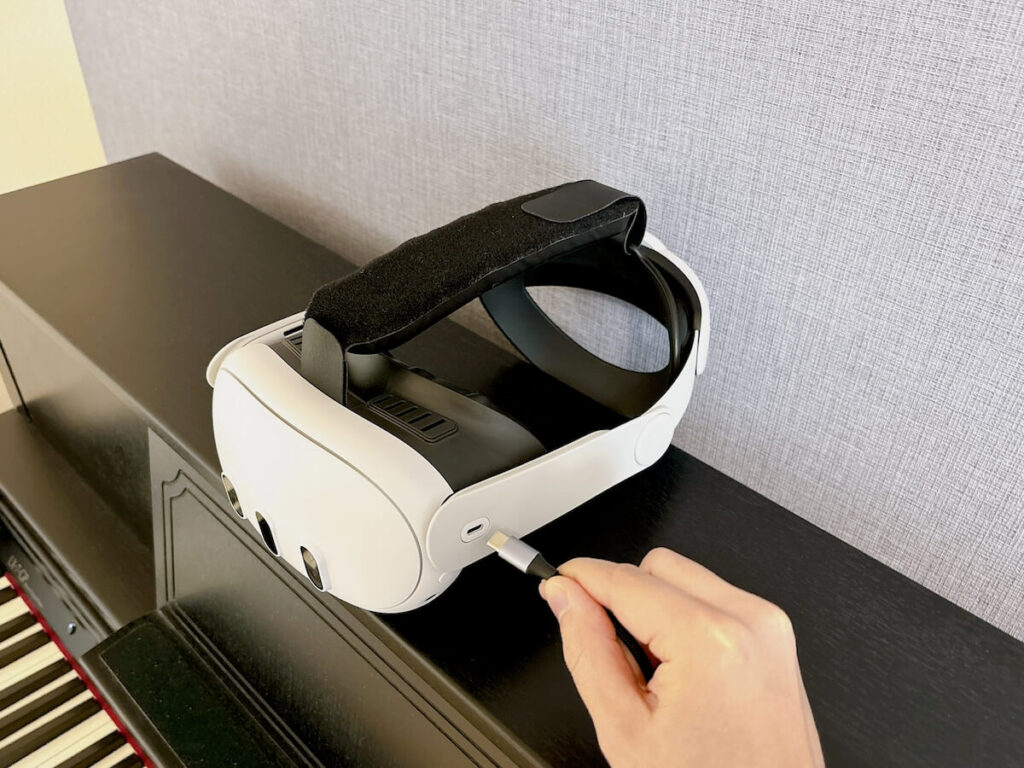
2-1. Connect to USB-C port on the left side of Meta Quest
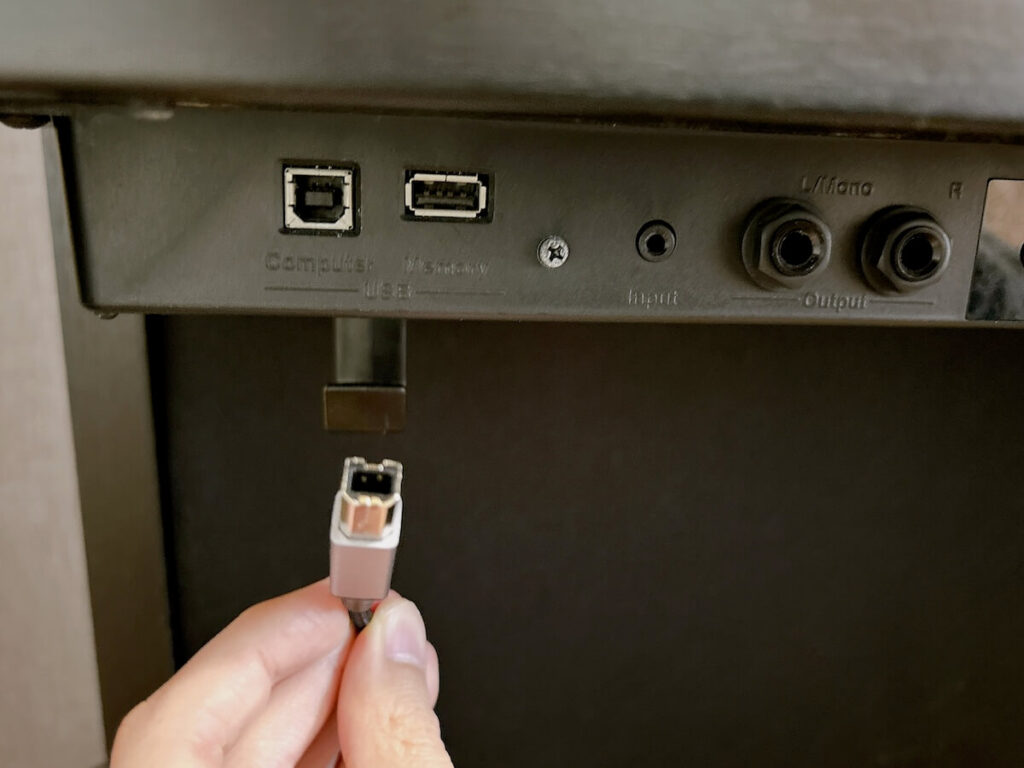
2-2. Connect to the MIDI output terminal of the digital piano
2-3. Launch the App
Now you’re all set!
Turn on your Meta Quest and launch the app.
If the MIDI connection is correct, a message saying “Allow Sigure to access piano?” will appear. Please select “OK.”
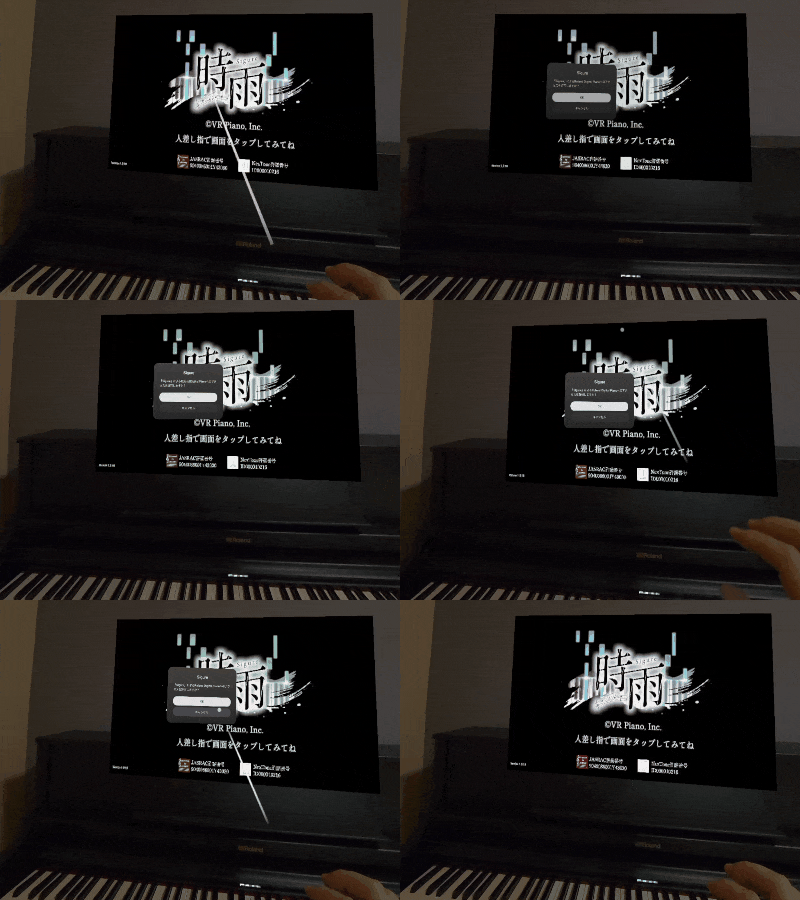
If this message does not appear even after replugging the MIDI cable, MIDI communication is not working. Please check the following page.
Tips for VR Operations
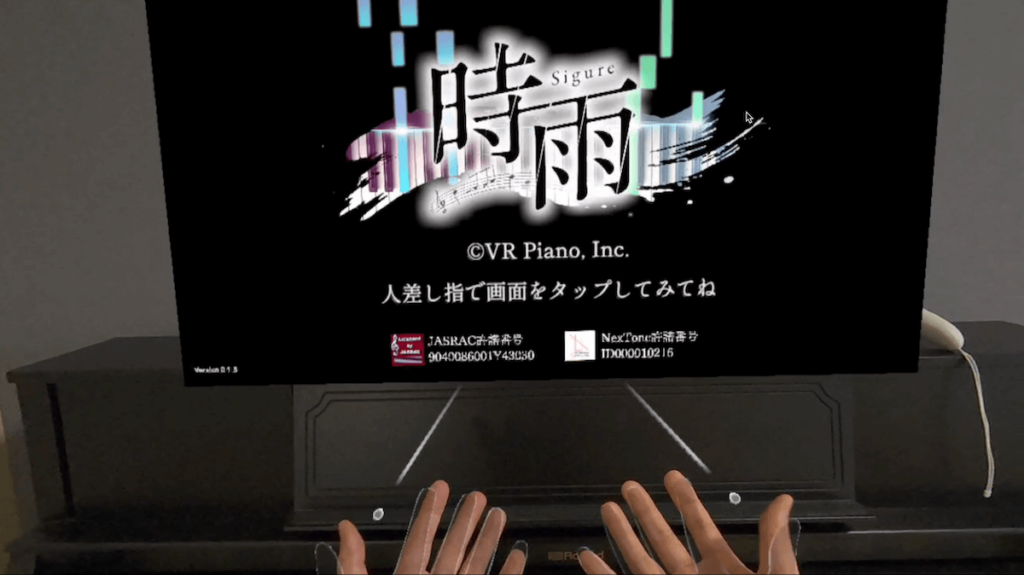
In the app, you generally don’t use controllers; you can operate everything with just your fingers (Hand Tracking).
Touch operations in VR might feel difficult until you get used to them.
However, once you get the hang of it, you can operate it as smoothly as a smartphone. Try to find the finger movements that trigger a response best.
Ensure the camera clearly recognizes your index finger
It’s hard for the system to react with an open hand, so close all fingers except your index finger and operate only with your index finger for better recognition.
Operate with the intent of pressing for 0.5 seconds
Instead of a quick tap, try pressing firmly for about 0.5 seconds; you’ll find it easier to activate the buttons.
In-App Operations
Pinch the Meta icon with your right hand
If the app screen is not in the desired position, look at your right hand and long-pinch the Meta icon to reposition it in front of you.
Closing the App
If you short-pinch the Meta button with your right hand, the screen to close the app will appear.
Alternatively, you can close the app by pressing the Meta button on the controller.
To close the app, press the “Meta Button” on the right controller to display the home screen.
Press “Close” on the Sigure app screen to exit the application.
*If an error occurs where the Meta Quest camera fails to recognize your hands, close the app and launch it again.
Performance Mode
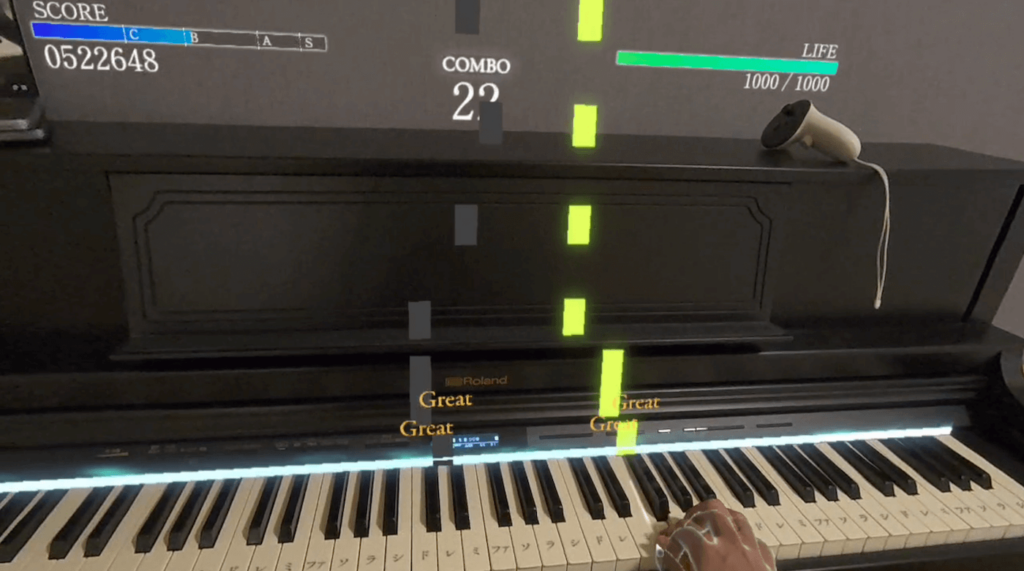
Performance Mode is where you play the piano along with the notes and aim for a high score.
Depending on the accuracy of the notes you play, you will be judged as Great, Good, or Bad, and points will be added. (Combo points are also added.)
Be careful: if the stamina gauge displayed in the top right reaches 0, it’s Game Over, and the performance will end midway.
First, you can choose from approximately 30 initial songs to play.

In addition to the initial songs, you can purchase songs for 400–600 yen each.
(Prices are subject to change.)
Pause and Menu Screen During Performance Mode
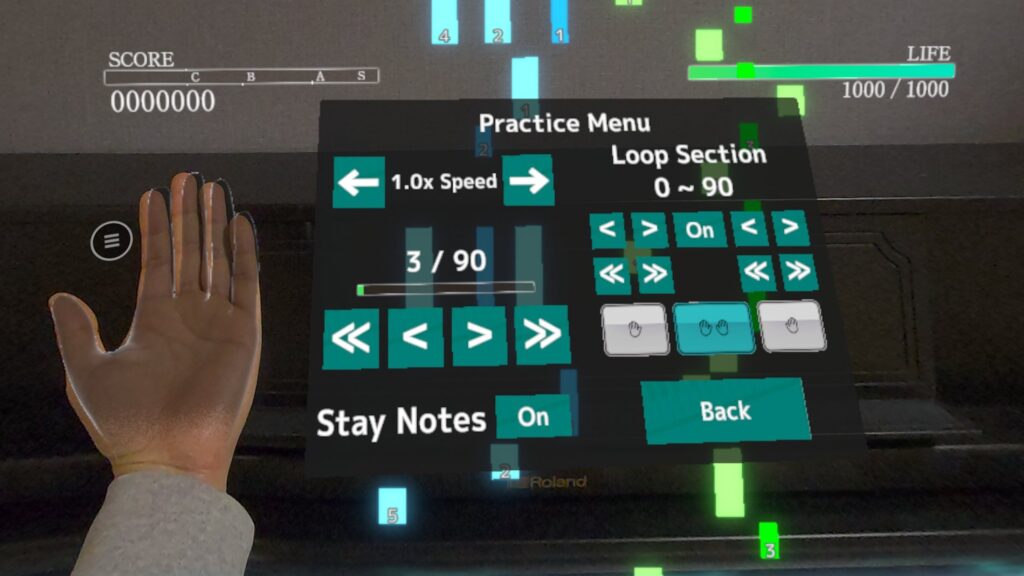
In Performance Mode, looking at the “palm” of either hand will pause the song and open the menu screen.
For example, right-handed people might find it easy to open the menu by looking at their left palm and then touching it with their right index finger.
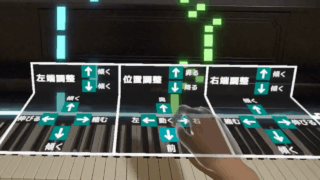
Adjusting Keyboard Position
Press “Adjust Position” → “Reset” on the palm menu screen.
You can align the rough position by pressing the white keys at the left and right ends with your left and right index fingers, respectively. (Note: You must put down the controllers, or Meta Quest will not recognize your hands.)
Sheet Music Display Feature (Beta)
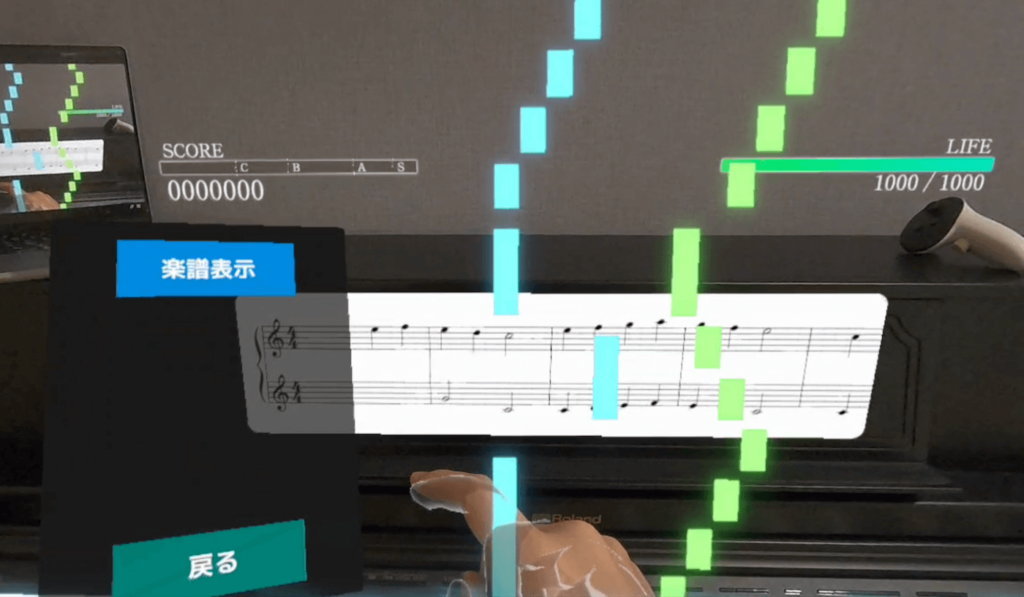
Sheet music can be toggled ON / OFF using the menu button.
Displaying sheet music accurately from song data is programmatically difficult. We are implementing it as a beta version, so please understand that some display issues may still occur.
We will gradually improve it in the future, so for now, we hope you enjoy playing the piano while watching the notes.
Practice Mode
Practice Mode starts when you press the hand icon located to the left of “Start Performance.”
One-Handed Practice
In Practice Mode, you can practice one hand at a time.
The notes for the hand you are not playing will be played automatically, so you can enjoy the feeling of playing even with just one hand.
*The automatic performance sound will come from the VR goggles or the digital piano.
Stay Notes Feature
The setting is such that the notes do not flow at a constant speed; instead, the notes proceed only when you play the correct key.
For songs you find difficult, try practicing accurately at your own pace.
Playback & Speed Adjustment
Besides the Stay Notes feature, you can also practice by playing the notes at a constant speed.
For songs you cannot play well at the original tempo, start at a slow speed and gradually practice until you can play at the normal tempo.
Repeat Feature
In Practice Mode, you can also repeat a selected section.
Practice difficult parts repeatedly using the repeat feature.
Skill Improvement Program
The VR piano game “Sigure” offers a program to help you improve your piano skills while having fun.
Step-Up 30
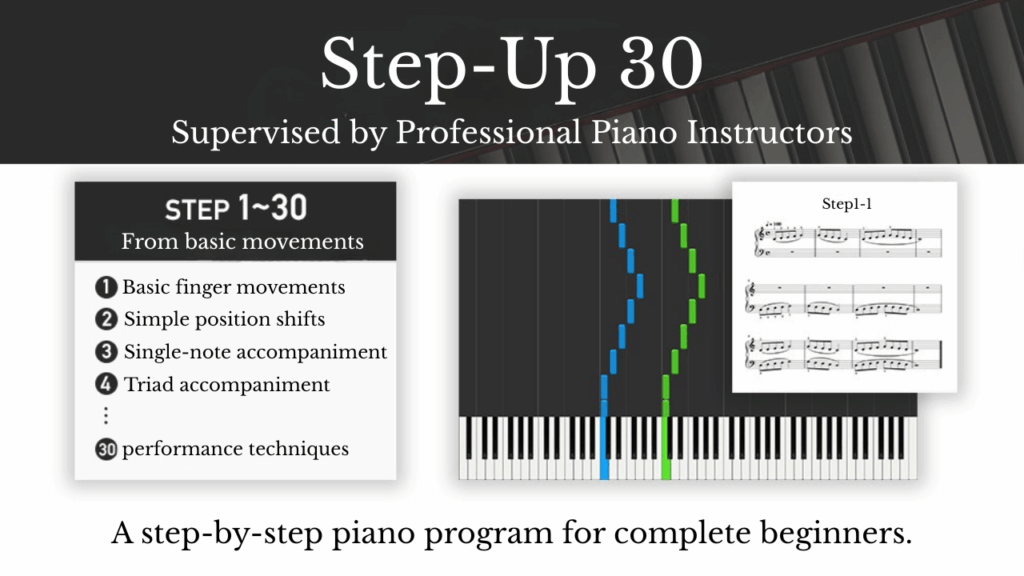
“Step-Up 30” is a program that allows even those with no experience to improve their piano skills in a step-by-step manner, starting from the basics of finger movement.
Work through the practice pieces, and a clear mark will appear when you are able to play them.
There is a challenge piece at the end of each step, so please try it once you have cleared the practice pieces.
The number of days it takes to complete Step-Up 30 varies from person to person; some may finish in 3 months, while others may take six months or a year.
By the time you clear all the steps, you should be able to play Normal level songs in the game, so please proceed at your own pace without rushing.
Piano Method Book Excerpts
We have excerpted recommended practice pieces from piano method books, so please utilize them according to your level or weak areas.
Experienced players should try incorporating the method book practice pieces into their daily routine.
*For beginners with no experience, focusing solely on Step-Up 30 is perfectly fine.
Pitch Training Game (Coming Soon)
Additional Purchasable Content
Chord Theory Learning (Coming Soon)
Additional Purchasable Content
Conclusion
Whether you are a beginner or an experienced player, please enjoy the piano with “Sigure”!
If you have any questions regarding the operation, please feel free to contact us via our official LINE.