This is a free online metronome for piano practice. It runs right in your browser, so there’s no app to install and no account to create.
It comes preloaded with practice tempos for 21 songs, including Canon and Für Elise. Just tap a song title, and the tempo and time signature switch to match it.
*If you don’t hear any sound, turn off silent mode and reload the page.
- Set the tempo
Tap a song title under “Choose from Songs,” or enter a number directly. If you’re not sure of the speed, tap “Tap Tempo” about 4 times. - Set the time signature
Choose the time signature written at the top left of your sheet music (4/4, 3/4, etc.). If you tapped a song title, this fills in automatically. - Press Start
Only the first beat lights up red. On a computer, you can also start and stop with the spacebar.
- What This Online Metronome Can Do
- Tips for Using a Metronome in Piano Practice
- Practice by Changing Which Beats Sound
- Tempo (BPM) and Tempo Markings
- Practice Tempos by Song
- FAQ
- Set a Practice-Time Guideline Too
- Also Useful for Scale Practice
- When You Don’t Have a Piano on Hand
- Try Ear Training Too
- To Build Rhythm Sense While Having Fun
- Summary
- Why Not Play on a Real Piano?
What This Online Metronome Can Do
- Practice tempos by song…for 21 songs. Tap a title to set the tempo and time signature, and jump to the sheet music page
- Tap to set the tempo…tap at the speed you want to play, and it converts to a BPM number
- 8 time signatures…2/4, 3/4, 4/4, 5/4, 3/8, 6/8, 12/8, or no time signature
- Fine-grained subdivisions…quarter notes, eighth notes, triplets, sixteenth notes
- Choose which beats sound…every beat, only beat 1, or only beats 2 and 4
- 3 sound options…click, wood, piano
You can use it on a smartphone in portrait mode. There’s no need to turn your screen sideways.
Tips for Using a Metronome in Piano Practice
A metronome isn’t a “tool for playing fast” — it’s a tool for noticing the wobble in your own tempo. Used well, it changes how efficient your practice is.
1. Don’t Practice at a Tempo You Can’t Play
The most common mistake is trying to match the original tempo right from the start. Practicing fast while still hitting wrong notes just teaches you to hit wrong notes.
Slow down to a speed you can play all the way through without mistakes. In the song tempo table below, we’ve listed a guideline for this as the “Practice Tempo.”
2. Once You Can Play It Through, Raise the Tempo Gradually
Only raise the tempo after you can play from start to finish at the current one. Raise it by about 4 to 8 BPM at a time. If you stumble after raising it, go back down without hesitation.
“Today I got through it at ♩=60,” “next time ♩=64” — building up this way looks like the long way around, but it’s actually the fastest.
3. Isolate Just the Parts You Can’t Play
The spots where you stumble in a piece are usually concentrated in 2 to 4 measures. Rather than running through the whole piece over and over, isolating just those few measures and working them with the metronome fixes the problem faster.
4. Match Each Hand Separately Before Playing Both
When things fall apart with both hands, try matching each hand to the metronome separately. It becomes clear which hand is throwing off the tempo. In most cases, it’s the left-hand accompaniment.
5. Don’t Chase the Beat — Place Your Notes Inside It
If you rush to play after hearing the click, you’ll always be a little late. Shift your mindset to anticipating when the next beat will land and placing your note right there, and your playing settles down.
When it’s working, the metronome’s click gets hidden behind your own sound and becomes hard to hear. That’s the sign you’re locked in perfectly.
Practice by Changing Which Beats Sound
Once your tempo starts to feel stable, try reducing how many beats sound. You’ll find out whether you can hold the space between beats on your own.
| Setting | How It Sounds | Purpose |
|---|---|---|
| Every beat | Sounds on every beat | The standard way to use it. Start here |
| Beat 1 only | Sounds only at the top of the measure | You hold the beats in between on your own. Any drift shows up right away |
| Beats 2 & 4 only | Sounds on the off-beats | For pieces in 4/4. The felt center of the beat shifts |
Even beats that don’t sound still light up faintly on screen. That gives you a state where you can see the position but get no help from the sound, so you can ease into it gradually.
Tempo (BPM) and Tempo Markings
BPM stands for Beats Per Minute, and it tells you how many beats occur in one minute. At BPM 60, that’s one beat per second; at BPM 120, it’s two beats per second.
You’ll sometimes see Italian words like “Andante” or “Allegro” written at the top left of a score. These are tempo markings, and they roughly correspond to the tempos below.
| Marking | Pronunciation | Approx. BPM | Meaning |
|---|---|---|---|
| Largo | LAR-goh | 40–52 | Broad and unhurried |
| Lento | LEN-toh | 52–60 | Slowly |
| Adagio | ah-DAH-jee-oh | 60–72 | At ease, slow |
| Andante | ahn-DAHN-teh | 72–88 | At a walking pace |
| Moderato | mah-deh-RAH-toh | 88–112 | At a moderate speed |
| Allegro | ah-LEH-groh | 112–144 | Fast and lively |
| Vivace | vee-VAH-cheh | 144–176 | Lively |
| Presto | PRESS-toh | 176–200 | Very fast |
| Prestissimo | press-TEE-see-moh | 200– | Extremely fast |
In the metronome above, changing the tempo shows you which marking it currently corresponds to right below the number.
That said, these numbers aren’t absolute. They vary by composer and era — the same “Allegro” feels different in Bach than it does in Chopin. Treat them as a guideline.
Practice Tempos by Song
These are guideline practice tempos for the sheet music we distribute for free on this site — the same ones built into “Choose from Songs” in the metronome above.
Start with the “Practice Tempo” on the left, and once you can play all the way through, work your way toward the number on the right.
| Song | Time Signature | Practice Tempo | Original Tempo |
|---|---|---|---|
| Canon (Pachelbel) | 4/4 | ♩=50 | ♩=64 |
| Für Elise (Beethoven) | 3/8 | ♪=60 | ♪=112 |
| Ode to Joy (Beethoven) | 4/4 | ♩=60 | ♩=112 |
| Turkish March (Mozart) | 2/4 | ♩=60 | ♩=126 |
| Gymnopédie No. 1 (Satie) | 3/4 | ♩=44 | ♩=60 |
| Boléro (Ravel) | 3/4 | ♩=56 | ♩=72 |
| Twinkle, Twinkle, Little Star | 4/4 | ♩=60 | ♩=108 |
| Frère Jacques (Frog Round) | 4/4 | ♩=60 | ♩=104 |
| Happy Birthday to You | 3/4 | ♩=60 | ♩=104 |
| Jesu, Joy of Man’s Desiring (Bach) | 3/4 | ♩=44 | ♩=66 |
| Nocturne No. 2 (Chopin) | 12/8 | ♪=40 | ♪=66 |
| Minute Waltz (Chopin) | 3/4 | ♩=80 | ♩=160 |
| A Dream of Love No. 3 (Liszt) | 3/4 | ♩=40 | ♩=50 |
| Eine kleine Nachtmusik (Mozart) | 4/4 | ♩=70 | ♩=132 |
| Can-Can (Offenbach) | 2/4 | ♩=80 | ♩=144 |
| Pomp and Circumstance (Elgar) | 4/4 | ♩=56 | ♩=80 |
| The Nutcracker (Tchaikovsky) | 2/4 | ♩=60 | ♩=104 |
| The Doll’s Dream and Awakening (Oesten) | 4/4 | ♩=60 | ♩=108 |
| Mary Had a Little Lamb | 4/4 | ♩=60 | ♩=104 |
| La Chevaleresque (Burgmüller) | 4/4 | ♩=66 | ♩=126 |
| Flight of the Bumblebee (Rimsky-Korsakov) | 2/4 | ♩=60 | ♩=160 |
The numbers are only a guideline. Sheet music simplified for beginners sometimes sounds better played a bit slower than the original.
If you’d like to browse all the sheet music together, head here.
![10 Easy Classical Piano Songs for Beginners [Free PDF Sheet Music]](https://vrpiano.co.jp/wp-content/uploads/2025/06/ピアノ初心者向け-簡単クラシック楽譜10曲【無料PDF】-320x180.png)
FAQ
Is it really free?
Yes. There’s no fee and no account required. There’s no usage limit either, so you can use it for your daily practice as much as you like.
Do I need to install an app?
No. It runs entirely online, so it’s ready to use as soon as you open this page. It works on smartphones, tablets, and computers alike.
Do I need to turn my phone sideways to use it?
No, portrait mode is fine. When the screen is narrow, everything rearranges into a single column automatically, so you can tap Start without scrolling.
What tempo should I start at?
Whatever speed you can play all the way through without mistakes is the right answer. That varies by piece, so use the “Practice Tempo” in the table above as your starting point.
If that still feels fast, don’t hesitate to slow down even more. Playing slowly and accurately matters far more than playing fast.
What does “Tap Tempo” do?
It’s a feature that calculates a BPM number from the interval between your taps when you tap your finger at the speed you want to play. Use it when you have a speed in mind but don’t know the number for it.
Tapping about 4 times improves the accuracy. It works well if you hum the tune while you tap.
I don’t hear any sound
Turn off silent mode on your smartphone, then reload the page. Also check that the volume slider isn’t set to 0.
I can’t hear it while I’m playing the piano
Turn up the volume, and try switching the sound to “Wood.” It overlaps less with the piano’s own sound, making it easier to tell apart.
Will the tempo drift if I’m not watching the screen?
It won’t. Rather than a browser timer, it schedules beats ahead of time using the audio clock, so it stays accurate even if you leave it alone without touching the screen.
Set a Practice-Time Guideline Too
Just as important as tempo is how much you practice each day. Consistency matters more than duration.

Also Useful for Scale Practice
Scale practice for strengthening your fingers pairs very well with a metronome. Switch the subdivision to eighth notes or triplets and increase the note count at the same tempo, and your fingers start to even out.
When You Don’t Have a Piano on Hand
Even without an instrument, there’s a virtual piano you can play right in your browser. It has 61 keys, and you can also play it with your computer keyboard.

Try Ear Training Too
Once you’ve built up a sense of tempo, pitch is next. Both are free and require no sign-up to try.
To Build Rhythm Sense While Having Fun
There’s also a free piano game where you press keys in time with falling notes. Unlike a metronome, it judges on the spot whether you pressed accurately. Good for checking your sense of tempo while having fun.

Summary
A metronome isn’t a tool for playing fast — it’s a tool for noticing the wobble in your own tempo.
Start at a speed you can play through without mistakes, and once you can get through it, raise it little by little. Repeating this looks like the long way around, but it’s the most reliable path.
Bookmark this online metronome and you can use it from this page anytime. Start with today’s practice.
Why Not Play on a Real Piano?
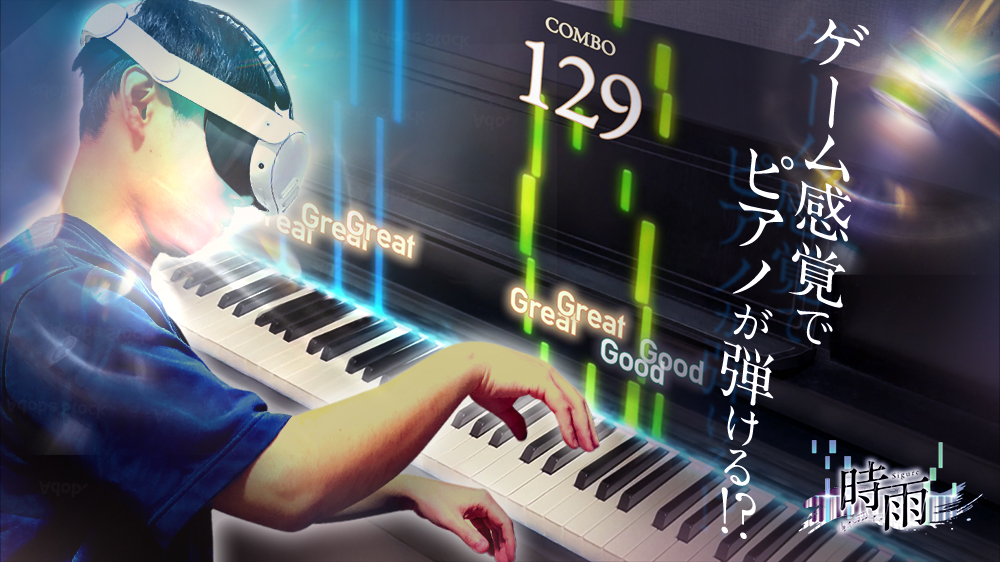
Put on a Meta Quest, and notes fall right onto the keys of the electric piano in front of you. This is “Sigure,” a VR piano game where you play a real keyboard instead of tapping a screen.